Find your symptom
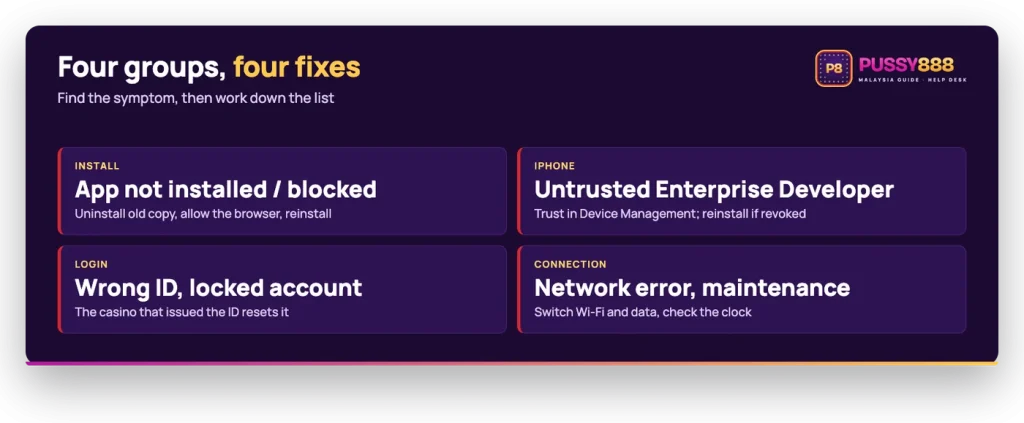
The table pairs each common symptom with its likely cause and the first thing to try. The sections after it explain the order of checks for each group.
| Symptom | Likely cause | First fix |
|---|---|---|
| Untrusted enterprise developer message on iPhone | The enterprise certificate has not been trusted on the device yet | Trust the developer entry in Settings, then reopen the app |
| App opens and closes at once on iPhone | As a rule, a revoked enterprise certificate stops an app from launching | Install the current build again from the official portal |
| Unable to Install on iPhone | Low storage, or the build behind the portal has been replaced | Free space, reload the portal, start the install again |
| App not installed on Android | In general, an older copy signed with a different certificate is already on the phone | Uninstall the old copy, then install the fresh file |
| Play Protect warning before installing | Standard Android behaviour for any app from outside the store | Read the warning, then continue if you want to install |
| The browser cannot start the install on Android | Installs from that browser have not been allowed yet | Allow Install unknown apps for the browser when Android asks |
| ID or password rejected | Case, spacing, or a saved password that no longer matches | Retype both by hand, then ask the casino that issued them |
| Account locked | The issuing casino has locked or suspended the account | Contact that casino’s support; the app cannot reopen it |
| Network or connection error | Unstable Wi-Fi or mobile data, or a wrong clock on the phone | Switch between Wi-Fi and mobile data, set date and time to automatic |
| Lobby offline for maintenance | The platform or a game server is down for work | Wait; the issuing casino posts its maintenance notices |
| Update prompt on launch | The build on the phone is older than the one on the portal | Install the current build from the official portal |
Install errors on Android
Start with the two mechanical causes before anything else: space and signatures. An Android package of about 70.8 MB needs room to unpack, so a phone sitting near full will stop the install without explaining why. The second cause appears when an older copy is still installed, because Android will not replace an installed app with a copy signed by a different certificate. In general that is what the App not installed message means, and uninstalling the old copy first clears it.
Play Protect is separate. It scans apps that come from outside the store and may show a warning or ask you to send the file for review, which is normal Android behaviour for sideloaded packages rather than a judgement on one app. You also need to let your browser install packages at all, which is the Install unknown apps permission Android offers the first time you tap a downloaded file. Full step-by-step instructions, including where the portal serves the file for your phone, sit with the official APK walkthrough.
If it fails
Reinstall from the official portal before anything else. Most install and launch errors end there.
When an iPhone will not open Pussy888
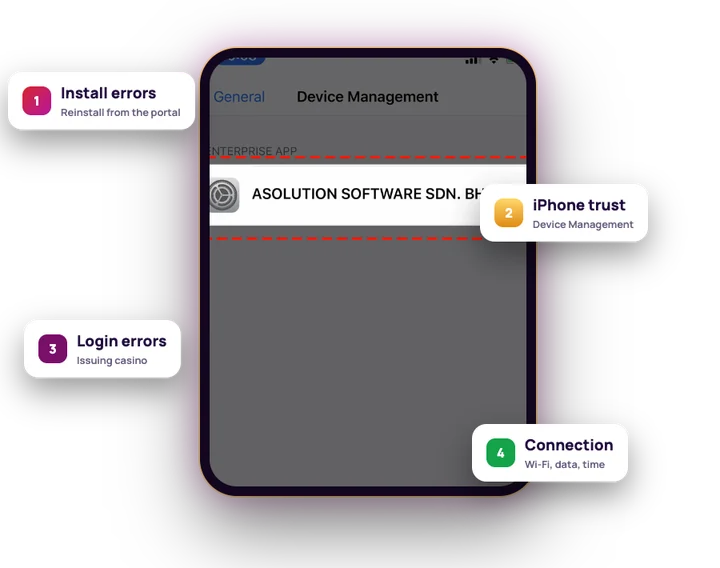
The iOS build is an enterprise app rather than a store download, so the order of checks is different. A fresh install that shows an untrusted enterprise developer message has simply not been approved yet: open Settings > General > VPN & Device Management, tap the enterprise app entry, tap Trust and confirm, then launch the app again. On older iOS versions the same screen is called Device Management or Profiles & Device Management.
If the icon opens and shuts immediately instead, trusting will not help, because the build is already trusted. Apple can revoke an enterprise certificate, and when that happens an app will not launch until a new build is installed. Go back to the portal, install what it serves now, and trust the entry again afterwards. An Unable to Install message points to storage or a build that has been swapped on the portal mid-download, so free up space and reload the page before retrying. The iPhone trust steps cover each screen in sequence.
Login rejected or account locked
A rejected login is rarely the app. The ID and password come from the casino or agent holding your Pussy888 wallet, and a saved autofill entry can keep submitting an old password long after it changed. Retype both by hand once. If the credentials are correct and the screen still refuses them, or the account has been locked, only the operator that issued the ID can check it: there is no public sign-up form and no reset link in the client. The browser lobby at the official web address uses the same ID, so a login that fails in the app will also fail there, which separates a credential problem from an install problem. Details on where IDs come from are in the ID and password help.
Connection errors and maintenance
Connection faults are often local to your phone. Switch between Wi-Fi and mobile data, because a captive portal or a weak signal will stall the lobby while the rest of the phone looks fine. Then check that date and time are set automatically, since a clock that has drifted can break secure connections generally. If the lobby loads but games do not, the platform or a single game server may be down for work, and the casino that issued your ID is the one that posts those notices. Nobody can give you a live server status for the app, so treat a total outage as something to wait out rather than something to reinstall your way through.
Why Pussy888 asks you to update
There is no store listing behind the app, so updates do not arrive by themselves. When a launch screen asks for a Pussy888 update, the build on your phone is older than the one the official portal is serving, and the portal is the only place to take the replacement from. Open it in your default browser on the same phone: Android receives the package, iPhone receives the enterprise install link and then needs the trust step once more. Any page offering a Pussy888 new version as a direct file, a mod or a store listing under some other package name is a repost, and a reposted file can be modified. The app publishes no changelog, so do not go looking for a version number to match.
Work through the checks in this order
When the symptom is not obvious, run the general reset sequence instead of guessing. Each step rules out one layer.
- Check the connection and the clock. Swap Wi-Fi for mobile data, and set date and time to automatic.
- Close the app fully and reopen it. Clear it from the recent apps list rather than tapping back.
- Reinstall from the official portal. Uninstall first on Android if the installer complains about the existing copy.
- Trust the build again on iPhone. A new enterprise install needs approving in Settings before it will launch.
- Contact the issuing casino. If the app now opens but the ID still fails, the account itself is the problem.
Who to contact, and about what
Split the problem before you ask anyone. Anything about the file, the install or the launch is yours to solve with a clean reinstall from the portal, and support cannot speed that up. Anything touching the account, meaning a rejected password, a lock, a missing transfer or a bonus that did not appear, belongs to the casino or agent that issued your ID, because that operator holds the wallet and the account record. The Complaints Box in the web client is for complaints to the platform rather than account recovery, so it is not a route to a password reset. If you lose track of which casino issued the ID, check the wallet you transferred funds from; that is the support desk you want, and the main guide explains how the ID model works.
FAQ
Why will the app not open on my iPhone?
Two different things cause this. If the phone shows an untrusted enterprise developer message, the certificate has not been trusted yet: open Settings > General > VPN & Device Management, tap the enterprise app entry and tap Trust. If the icon opens and closes straight away instead, an enterprise certificate that has been revoked will stop an app from launching as a rule, and the fix is to install the current build again from the official download portal.
Why does Android say App not installed?
In general this appears when a copy of the app signed with a different certificate is already on the phone, or when storage is too low to unpack the package. Uninstall the existing app, free up a few hundred megabytes, then install the fresh file. The current Android package is about 70.8 MB and needs room to expand during installation.
Why can I not log in to Pussy888?
The login screen takes the ID and password issued by the casino or agent that holds your wallet, so retype them by hand rather than relying on a saved autofill entry. If they are still rejected, or the account is locked, only that casino can check the account or reset the password: the app itself has no sign-up form and no reset link.
How do I update Pussy888?
There is no store update. When the app prompts you on launch, go back to the official download portal on the same phone and install the build it serves: Android gets the APK, iPhone gets the enterprise install link and then needs the trust step again. The app does not update through a store.
Who do I contact when my account is locked?
The casino or agent that issued the ID, through its own live chat or support channel. That operator holds the wallet and the account, so it handles locks, suspensions and password resets. The Complaints Box in the web client is for complaints to the platform, not for account recovery.